NetMirror
NetMirror APK provides movies, web series, anime, subtitles, HD playback, and unproblematic access to Android, PCs, Smart TVs, and others.
Security Verified
NetMirror
NetMirror APK is a streaming application which enables the users to stream web series, tv shows, anime, and other video content in a single application. The app has a clean and simple user interface. The platform has an active search button. Users can search movies and shows by name and genres. The app offers multiple streaming qualities. Users can choose a streaming quality depending on the speed of the internet connection and their data plan. Higher video quality will consume more data for streaming. It enables the users to chromecast their phone screen to LED TVs. This app is not available on the Play Store. Users have to download it via APK download method and install it by enabling installation from unknown sources in their phone settings.
What Is NetMirror?
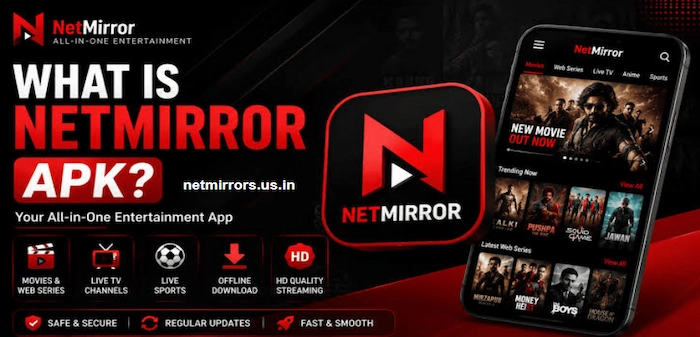
NetMirror APK is an entertainment app that helps users find and watch different kinds of video content from one screen. The home area may show popular titles, new additions, suggested picks, and clear content groups. The user can view a title page to access simple information, select an episode, a language, or begin to play. The search tool also facilitates the process of locating a movie or series without having to scroll through numerous menus.
The app is often shared as an Android package because it may not appear in every major app store. An APK file must be installed by the user, so the source and file details matter. Some versions may allow viewing without an account, while other releases may ask users to sign in or save basic settings. A steady internet connection is needed for online playback. Offline files may work only when the download option is offered for that title.
NetMirror App Information
| Detail | Information |
| App name | NetMirror |
| Version | v6.0 |
| File size | 45MB |
| Android need | 5.0+ |
| Category | Entertainment |
| Price | Free |
| Updated | 5 hours ago |
| Devices | Android phones and tablets |
| File type | APK package |
| Root access | No Root Needed |
| Store listing | Not available on Play Store or App Store |
FAQs
Key Features of NetMirror
Wide Entertainment Library
The platform provides a wide range of movies, series, TV shows, anime, documentaries, and videos in the region. NetMirror APK organizes these options in distinct blocks thereby making it easier to transition between types. The library may change as titles are added, removed, or moved. The user can look at the front page and category pages to know the items that are available to them to have a fast and easy time browsing.
HD Video Playback
The app will enable users to select a video quality that fits their screen and connection. Better quality can result in a sharper picture, but it might require additional data and a faster internet connection. Lower quality can help when the signal is weak. NetMirror APK may offer several playback levels, though the right choice can depend on the title, device, server, and length of the viewing session that day.
Multiple Content Categories
Clear categories help users find content without typing every title into search. The application can categorize videos according to action, comedy, drama, romance, horror, family, and thriller and animation, among other themes. NetMirror APK can show popular, new, or language based sections. These groups make browsing simple and help users discover shows that match their mood, age needs, or free time on a quiet evening at home with fewer taps.
Search and Content Discovery
A built in search bar lets users enter a movie, show, actor, or key word. Results may appear with posters, names, years, or short details. NetMirror APK can show trending titles and fresh additions on the main screen. These tools reduce long scrolling and make it easier to return to a series or find something new during a free evening without opening every group one by one.
Multi-Language Audio
The platform may offer original sound, dubbed tracks, or more than one language for supported titles. Users can open the player menu and check which audio choices are ready. NetMirror APK is useful for people who enjoy regional or world content in a language they understand. Audio options can vary, so every movie or episode may not include the same tracks on every source or server used.
Subtitle Support
Subtitles can help users follow speech, names, and story details. The app may provide several subtitle languages for supported videos. Users can turn captions on, choose a language, or change basic display settings when those tools are present. NetMirror APK may not include subtitles for every title, and timing can differ if a source file has an error during fast scenes or quiet talks and hurt understanding.
Offline Download Option
Some titles may include a download button for later viewing. This feature can help during travel or when internet access is limited. Users should check the file size, free storage, and chosen quality before saving a video. Downloads may expire, fail, or disappear after an update. The option depends on the title, release, device, and available source, even when users plan to watch away from Wi-Fi later.
Watchlist and Favourites
A watchlist gives users a simple place to save movies and shows they want to open later. Favourite tools can help mark liked content or unfinished series. The app may keep these choices on the device or inside an account. If app data is cleared, saved lists can be lost unless they are linked to a signed in profile for future visits to the same app later.
Simple User Interface
The app uses content cards, posters, menus, and a search area to keep the screen easy to follow. Main controls often sit where users can reach them with a few taps. NetMirror APK may include sections for home, categories, downloads, and saved titles. A clean layout helps new users learn the app without reading long guides or opening many settings with clear labels and familiar icons.
Low Storage Requirement
The main app file may be smaller than many full streaming tools, but storage use can grow over time. Cached images, update files, subtitles, and saved videos can take extra space. Users can clear old cache or remove watched downloads when needed. NetMirror APK works best when the phone has enough free room for both the app and playback data before playing long movies or series.
Limited Advertisements
The viewing experience may include fewer ads than some free entertainment services, but the amount can change by version or region. Ads may appear on menus, before playback, or when a link opens. Users should avoid fake buttons and close any page that asks for odd permissions. The app experience is not always fully ad free for every user during normal viewing or video playback sessions.
Regular Content and App Updates
Updates can add titles, repair broken links, improve playback, or support more devices. They may change the design, file size, or Android needs. Users should read the change notes and check the package details before installing a new release. NetMirror APK updates are best handled with care because an unknown or mismatched file can cause errors on the same phone or tablet after a fresh update.
Content Available on NetMirror
Movies
The platform has a wide variety of movies which includes action, comedy, horror, and thriller. Users can also find the latest regional content here for free. NetMirror APK is also capable of sorting movies by language, year or popularity, making it easier to browse them. The available list can change when sources or rights are updated.
Web Series and TV Shows
The app allows users to open seasons, choose episodes, and continue a story in order. Some title pages may show episode names, dates, short notes, or viewing progress. New episodes can appear after release, but timing may differ by region or server. Saved lists help users return to a show without searching again.
Anime and Animated Content
Anime fans can discover series, movies, and animated programs of various ages. Original sound, dubbed audio or subtitles can be supported. Parents should check ratings and story details before children watch. NetMirror APK may place anime in its own section, making it easy to browse popular shows and fresh episodes.
Regional and International Entertainment
Language sections can help users discover local dramas, world cinema, and dubbed programmes. The library may include content from several countries and cultures. Audio and subtitle choices depend on each source.
Live Content or Sports
Live channels or sports may appear only in some releases. Access can change due to region, server load, or content rights. Users should open the current app menu to confirm which live events, channels, or match streams are truly available.
How Does NetMirror Work?
NetMirror APK starts with a home screen that shows posters, categories, and search tools. It enables the users to navigate through the homepage and category tabs to find out the content they want to stream. It also shows the thumbnails, which makes the selection easy for users.
Browsing and Searching
Users can open the app, view the home page, select a category, search for a title, and open its detail page.
Selecting a Video Source
Some titles may offer more than one server or quality level. Users can pick a source, audio track, subtitle, and video quality when those choices appear. A different source may help if one link loads slowly or stops.
Streaming or Downloading Content
Streaming begins playback through the internet. Downloading saves a supported file for later use. NetMirror APK may not offer both choices for every title, so users need to check the player page.
Casting to a Larger Screen
A cast icon can be used to attach the phone to an Android TV, Chromecast, or other supported TVs. Both devices tend to share the same Wi-Fi network. Support can differ by phone, TV, app version, and video source.
NetMirror APK Download and Installation
Check the Latest App Details
Before downloading, read the version number, file size, Android need, update date, and package name. These details help users avoid an old or wrong file. Check the digital signature or file hash when trusted information is provided. A file that looks different from the listed details may not be the right package.
Download the APK File
NetMirror APK files may trigger a browser warning because they come from outside an app store. The warning does not prove the file is harmful; however, it means the user must check the source with care.
Allow Installation from the Selected Source
Modern Android devices grant install rights to a chosen browser or file manager. Open Settings, choose the option to install unknown apps, choose the browser or a file manager and enable that source. Turn on Google Play Protect to have it scan unknown packages. Switch off the permission when not in use.
Install the APK File
NetMirror APK needs enough free storage for the main file, cache, images, and saved videos. A nearly full device may stop the install or cause slow performance.
Update to a New Version
Download the newer package from the same trusted source. Check that its signature matches the installed release. Open the file and install it over the old version. This method may keep settings and saved data. A package with a different signature may fail or require removal of the older app.
Fix Installation Errors
Low storage, a broken file, an incompatible Android version or a signature conflict can result in the issue of app not installed. Uninstall the downloaded malfunctioning file, wipe the disk, reboot the phone and test a known file. Do not force an install when security tools flag the package as harmful.
Users can also check the browser permission, rename no files, and confirm that the package ends in .apk. A download is more likely to open and install without a parsing error.
Device Compatibility
NetMirror APK for Android
The application is primarily designed to work with Android devices and tablets. The support is based on Android version, processor, memory, free storage and screen size. A steady internet link helps videos load well. Older devices may need lower video quality to reduce heat, lag, or sudden closing.
Android TV and Smart TV
Some Android TV devices may run the app through a native package or sideloaded APK. Other smart TVs may only work through casting. Remote control support can vary, so some menus may be easier with a mouse. Users should check the TV system before installing any file.
NetMirror APK for PC and Laptop
An APK does not install directly on Windows or macOS. Users may need a supported web version or an Android emulator. NetMirror APK can run inside an emulator, but speed depends on the computer, memory, graphics support, and emulator settings. Keyboard controls may not match every screen.
NetMirror iOS APK
Android packages cannot be installed on iOS. Users should confirm whether a real iPhone app or web option is offered. Avoid files that claim an APK can install as an iPhone app.
Fire TV
Fire TV devices may support sideloading when the package works with the system. The app still needs remote friendly controls and enough storage.
Is NetMirror APK Safe and Legal?
No APK file can be called safe only because a page says so. Users need to check the source, package name, version, signature, and scan result. Google Play Protect can review apps from outside the store. Keep it active, and stop if Android gives a strong harmful app warning. Avoid changed packages that promise unlocked tools or removed limits.
Permissions to Review
The app may ask for network access, storage or media access, notifications, picture in picture, or nearby device access for casting. A permission should match a clear feature. NetMirror APK does not need access to contacts, calls, text messages, or the microphone for normal video browsing unless a real feature explains that need. Deny odd requests and remove the app if it acts in a strange way.
Privacy Considerations
The platform can gather device information, application usage, search information, advertisement information or account information. Users are supposed to read the privacy policy and verify the data sharing with service partners. Avoid entering payment details or personal records into an unknown form. Clear app data before selling or giving away a device.
Copyright and Regional Laws
Content rules differ by country. Users are responsible for following local law and viewing material they are allowed to access. The app name, posters, or service labels do not prove that every video has a valid licence. Choose legal sources when ownership or access rights are unclear.
Common Problems and Solutions
The App Is Not Opening
Users can reinstall the app if it is not opening. They can update it to the latest version to see if the bug is cleared now. Restarting the device and changing the internet connection also works sometimes.
Video Is Buffering
Lower the video quality and pause other downloads. Move closer to the Wi-Fi router or switch to a stable network. Heavy server use can greatly slow playback.
Content Is Not Loading
Reload, find a different source, and check to update the app. A title can be deleted, blocked in an area, or temporarily unavailable.
No Sound or Subtitles
Open the player menu and choose another audio or subtitle track. Raise device volume and turn off silent mode. Some videos may not include every option.
App Keeps Crashing
Free storage, clear old cache, and close other apps. Reinstall NetMirror APK only after checking the package and version.
Casting Is Not Working
Connect both devices to the same network. Turn on Nearby Device Access, restart the TV, and ensure the receiver supports casting. A weak router signal can break the link. Update the TV software if an older receiver does not appear.
Pros & Cons
Pros
NetMirror APK offers one place to browse several kinds of entertainment. The layout may be simple, and search tools can help users find titles fast. The viewing experience can be enhanced with the help of language tracks, subtitles, quality options, watchlists, and offline files. The casting support can assist users in transferring a video on a phone to a bigger screen.
Cons
The app may not appear in major app stores, so installation can need extra steps. Content, servers, subtitles, and audio tracks may change without notice. Some links can fail or load slowly. Playback depends on internet speed, device power, and source quality. Manual updates may be needed, and a new package can cause signature errors. Privacy and copyright details may not always be clear. Users are advised to verify every release, not to make false claims and to have a legal streaming alternative in case a title is not available.
Final Thoughts
NetMirror APK gives users a place to explore movies, series, TV shows, anime, and regional video content. The app may offer search tools, quality choices, subtitles, language tracks, downloads, watchlists, and larger screen support. Features can change by title, device, region, and release. Users need to check the latest file details, Android needs, permissions, and privacy terms before installation. Active security scans and trusted sources can reduce APK threats. Copyright laws do not become irrelevant, and viewers have to have access to the content they can view. Proper configuration is then the most appropriate way of enjoying the platform without any issues.